 SANSIL 3D
What is UV printing on objects?
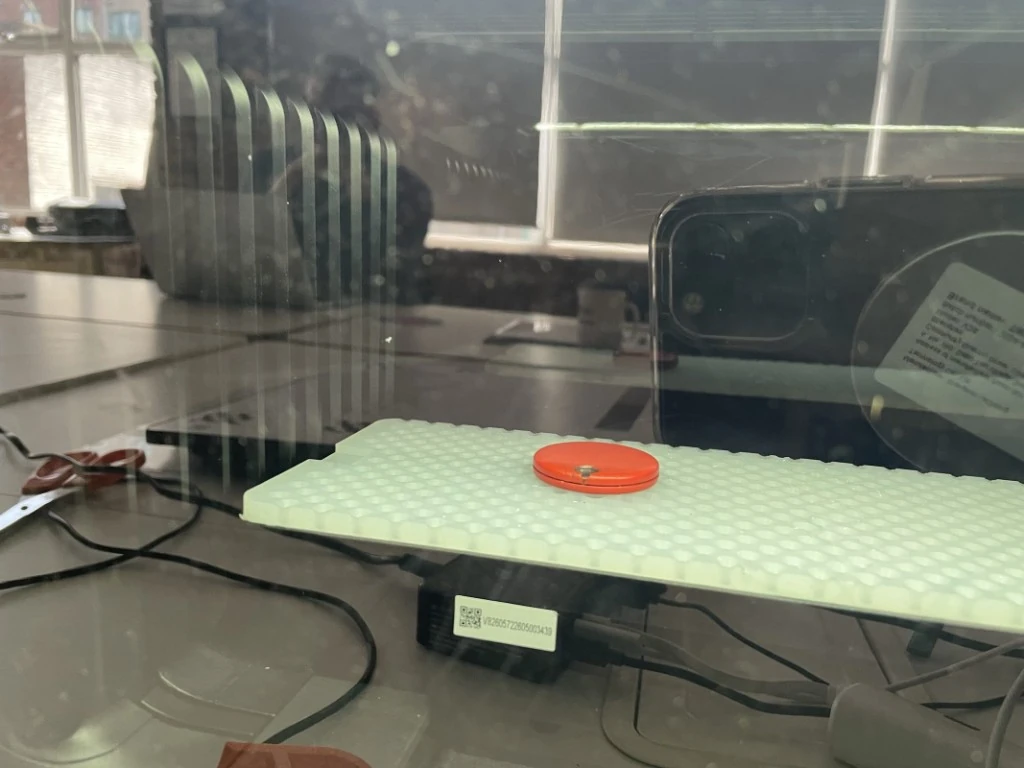
A UV printer is an inkjet printer — the same principle as the one on your desk — but it prints straight onto an object instead of a sheet of paper, and its ink dries instantly under an ultraviolet lamp. The head passes over the object sitting on a bed, sprays minute droplets of colour, and the UV lamp following behind sets them in a fraction of a second. The ink does not soak in, it does not run, it does not evaporate: it hardens in place, as a thin solid layer.
That is what makes the process so versatile. Because the ink hardens instead of soaking in, it holds on materials that refuse everything else: metal, glass, plastic, acrylic, stone, leather. And because the printer will stack as many layers as you like, it can also build relief: a logo that stands proud under your fingers, the texture of a painter's canvas, an inscription in braille.
One item is possible. Price depends on substrate, printed area, finish and quantity: a batch may benefit from shared setup and discounts. Preparation and any minimum order are detailed in the quotation; unit price and order total are shown separately.
Three practical consequences. No minimum quantity: the file replaces the plate or the screen, so a single piece costs the same per unit as a piece from a run. No heavy set-up: the object arrives, it is cleaned, positioned, printed — in minutes for a flat piece. And it is your own object that gets printed, not a copy: the gift that already exists, the plate that is already cut, the part we have just 3D printed.
What it prints on — and what it does not
The rule is simple: you need a flat surface (2 mm of variation tolerated across the printed area), an object less than 60 mm tall that fits within 330 × 420 mm. Inside those limits almost every material can be printed. Some need a preparation step that we apply before printing: an adhesion primer, a clear liquid that gives the ink something to grip on surfaces that are too smooth.
| Surface | Examples | Preparation | Recommended finish |
|---|---|---|---|
| Wood, cork, MDF | coaster, plaque, box, board, trophy | none (raw, oiled or varnished) | white + colour: wood is dark, and without white the colours go dull |
| Plastic | phone case, enclosure, PVC sheet, opaque PMMA panel | none | depends on the shade: colour only on white, white + colour on dark |
| Metal | aluminium plate, steel, brass, anodised plate, flat bottle, tool | adhesion primer, included | white + colour (to the ink, metal is a “dark” surface) |
| Glass | sheet, mirror, flat face of a frame | adhesion primer, included | white alone or white + colour; can be printed in reverse and viewed through the glass |
| Acrylic, plexiglass | panel, sign, display stand, trophy | adhesion primer, included | white + colour, varnish for the shine |
| Ceramic, tile | tile, coaster, enamelled plate | primer on enamel, included | white + colour |
| Leather | label, card holder, notebook cover | none, flexible white ink | white + colour, or colour only on light leather |
| Stone, slate, concrete | plaque, trivet, decorative object | none, flat face required | white + colour; 3D relief looks superb on slate |
| Paper, card, canvas, textile | poster, box, stretched canvas | none | colour only: the ink soaks in, so no white and no relief |
| 3D-printed part | enclosure, plate, technical part made by us | none | white + colour on a black or coloured part |
| Mug, bottle, tumbler (rotary module) | ceramic, stainless steel, glass; Ø 45–100 mm, 80–245 mm tall, cone up to 13° | adhesion primer, included | white + colour, full wrap possible; no relief |
| UV transfer (sticker) | bottle, candle jar, curved or uneven object, oversized format | printed on film, laminated | white + colour or colour; applied by you or by us |
What cannot be printed directly: silicone and rubber (the ink will not grip, even with a primer), and objects heavier than 1.5 kg. A domed or uneven surface with more than 2 mm of variation, an object taller than 60 mm that is not a cylinder, a format beyond 330 × 420 mm: that is where the UV transfer comes in. The artwork is printed on a film, laminated, then applied to the object like a very thin sticker with no visible edge; it stands up to water and rubbing. You apply it yourself (it is easy, and we explain how) or we do it for you.
Not sure about your object? Send a photo with the request. Where possible we run a test on a discreet area — the underside of a coaster, the back of a plaque — before printing the visible face.
The four finishes: colour, white, varnish, 3D relief
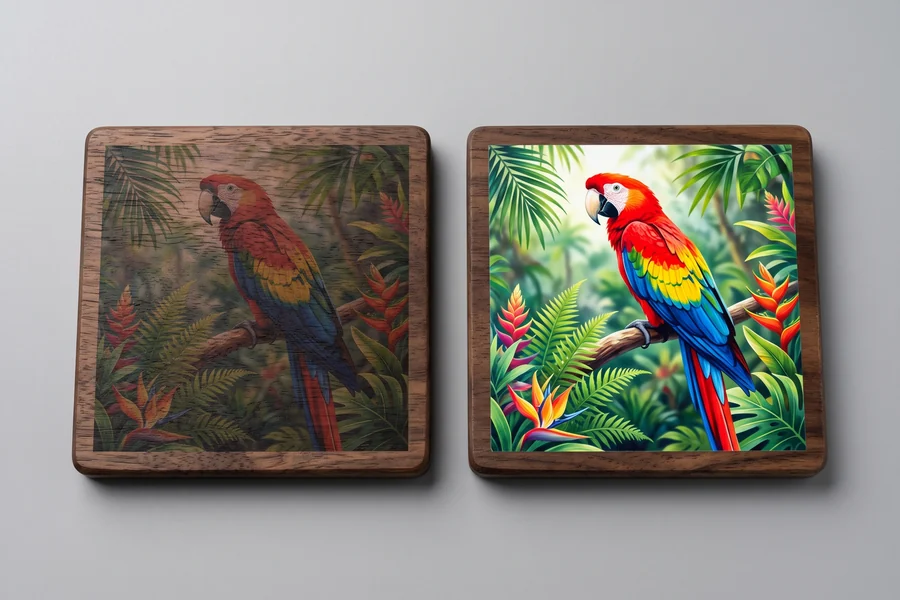
When you ask for a price, the quote page offers you four finishes. Here is what they mean.
Colour only. The four base inks — cyan, magenta, yellow, black — straight onto the object. The inks are translucent: they blend with the colour of the surface underneath. On a white or very light surface this is perfect, and it is the most economical finish. On a dark, wooden, metal or clear surface the colours die back: a red turns brown, a yellow disappears.
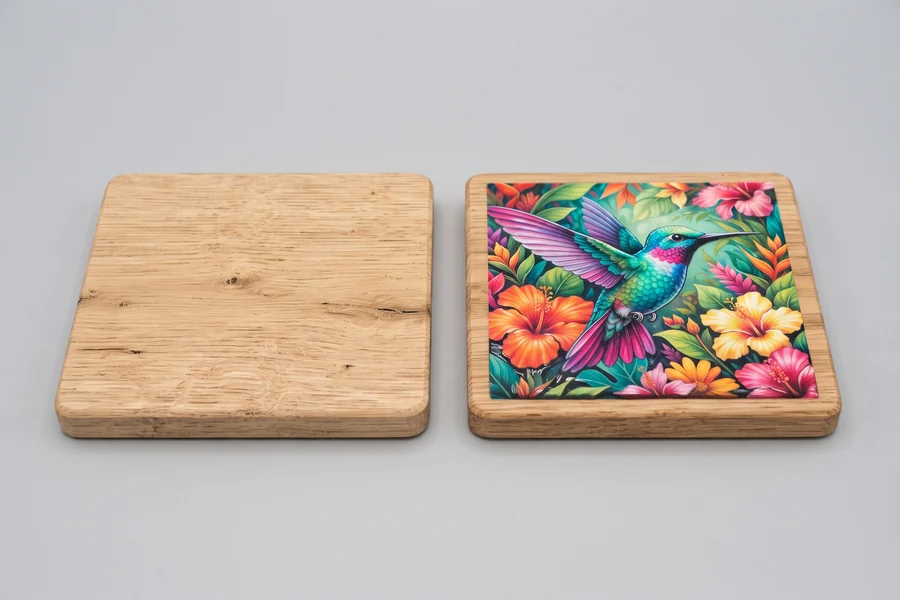
White + colour. The printer first lays down a white underlayer exactly beneath the artwork, then the colours on top. The white plays the part of paper: it gives the colours their punch back, whatever the surface. This is the finish we recommend for wood, metal, glass, acrylic, stone and any plastic that is not white. It also lets us print white itself: white text on a black plate, a white logo on glass.
Varnish. A clear, glossy layer over the artwork. It protects the print from rubbing and gives a glazed look, like a gloss photograph. It can also be laid as a spot varnish: glossy on the logo only, matt around it — a discreet and very elegant effect on a matt surface.
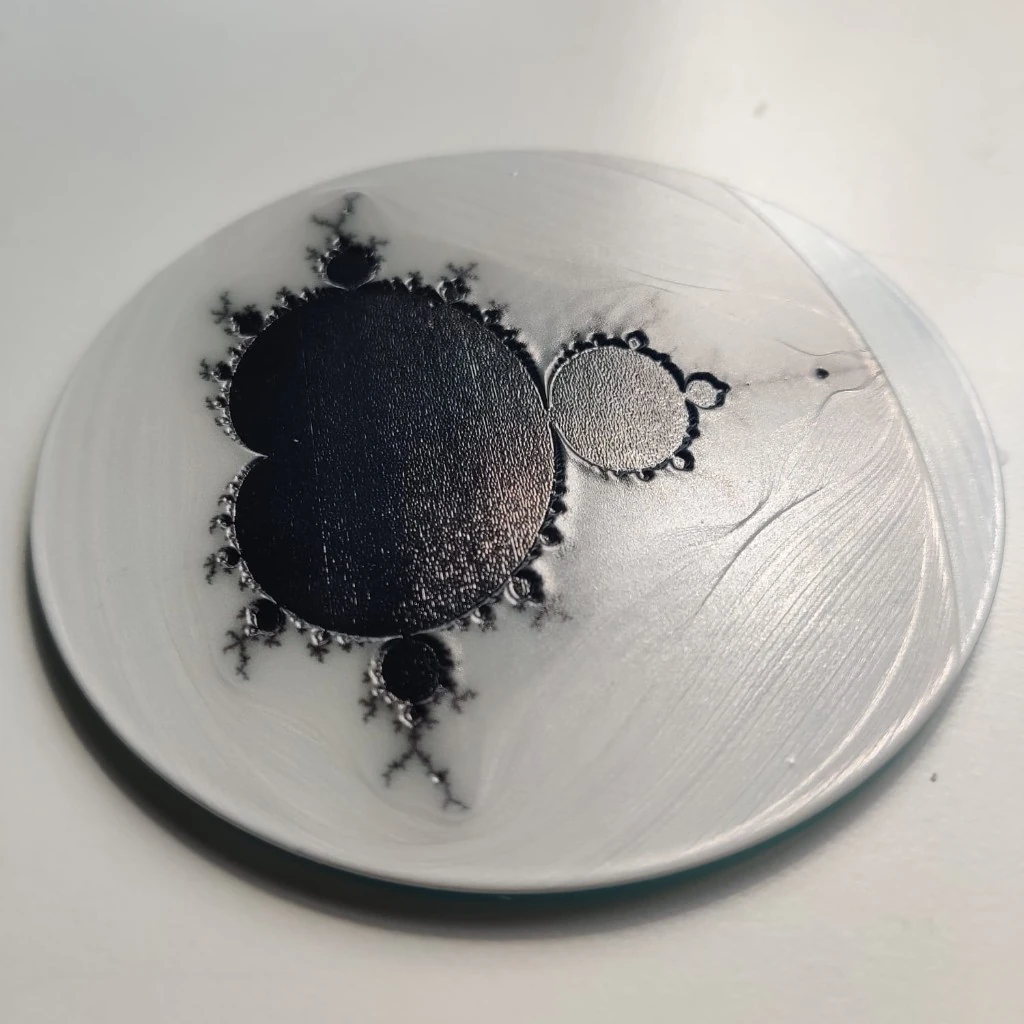
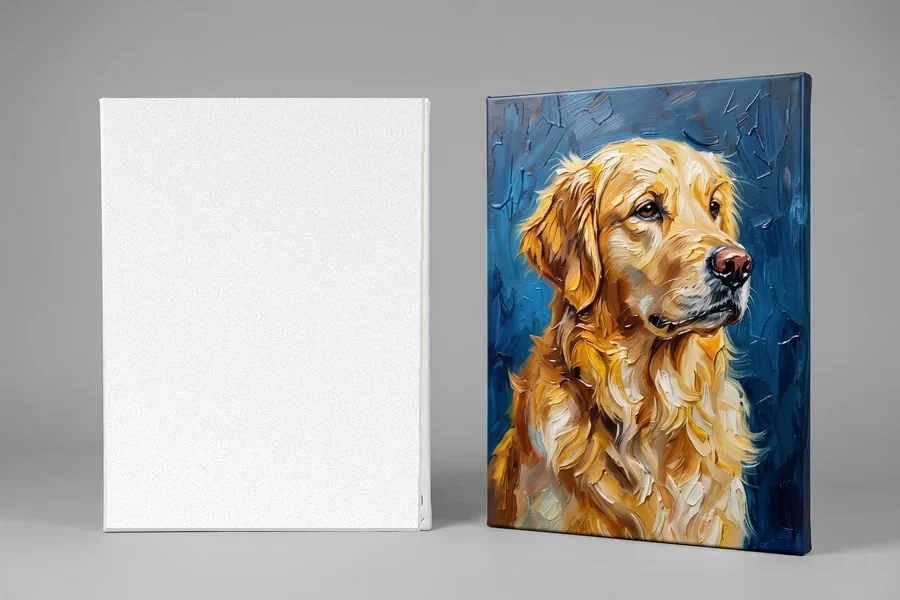
3D relief. This is what sets the process apart from everything else. The printer stacks layers of white ink up to 5 mm high, then prints the colours on top. You feel the artwork under your finger: a logo that stands proud, the texture of an oil painting with its brushstrokes, the grain of a leather, the look of a struck coin, an inscription in braille. Every millimetre of relief is another hundred or so passes: it takes longer, so it costs more, and it is the only finish where machine time runs into hours over a large area.
What it is for: examples by need
The easiest way in is to start from what you want to end up with.
To give or to decorate
A wooden coaster with a photo of the dog, a mug with the children's photos all the way round, a slate plaque with the name of the house, a leather notebook with initials, a bottle with a name on it, a wooden box for a wedding, a photo jigsaw, a door plaque with a child's name. One piece is enough — there is no run to order. Fifty-six Christmas gift ideas, each with its price, are on a page of their own.
For a company, a charity, a club
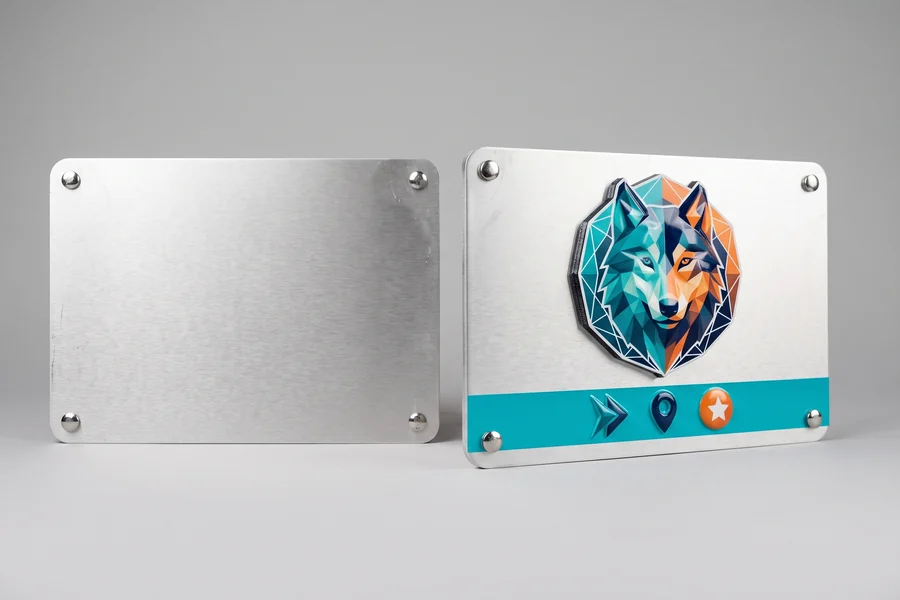
Promotional items carrying your logo (keyrings, coasters, magnets, badges, mugs, bottles) in runs of 10, 50 or 500; plaques and signage (door plate, room number, professional plaque, welcome panel, pictograms) on aluminium or acrylic; trophies and medals; corporate gifts personalised with each recipient's name — this is where digital printing beats everything else, since every piece can be different at no extra cost.
For a workshop, a manufacturer, an installer
Part marking: logo, reference, batch number, instructions, safety pictograms, wiring diagram, straight onto an enclosure, a plate or a cover — including the parts we 3D print for you. Front panels for equipment, permanent labels on aluminium plate, machine rating plates. The file replaces the printing plate: the reference changes, the price does not.
For a shop
A menu on wood, an indoor sign in acrylic, display stands, table talkers, rigid loyalty cards, customer gifts in the name of the shop.
For an artist, a photographer, a maker
Prints on wood, metal or canvas with a raised texture that reproduces the brushwork, numbered editions, one-off pieces; a print on a 3D-printed part for a finished project, with no painting.
UV, laser engraving, sublimation, sticker: which one?
Other techniques personalise an object too. Each has its own ground; here is how to tell them apart, with no favouritism towards ours.
| Technique | What it does | Strengths | Limits |
|---|---|---|---|
| UV printing (ours) | prints in colour, in white and in relief directly onto the object | photographic colours, from 1 piece, almost every flat surface plus cylinders (mugs, bottles), 3D relief, opaque white | the object must be flat or a regular cylinder; anything else goes through a transfer; very good durability, but not eternal on an object rubbed every day |
| Laser engraving | cuts into or burns the surface | permanent, very fine, cylinders possible | monochrome (the colour of the burnt material), impossible on glass and light metal without treatment, no colour |
| Sublimation | transfers an ink into a polyester coating | vivid colours, mugs and polyester textiles | only on “sublimation-ready” (coated) objects, no white, no relief |
| Sticker, printed label | a label stuck on | cheap, any object shape | it is a sticker: visible edges, it peels, scuffs and yellows |
| Screen printing, pad printing | ink pushed through a screen or off a pad | very economical from a few hundred pieces | one screen per colour and per design: dear as a one-off, no photographs, no piece-by-piece personalisation |
In short: for colour on an object, as a one-off or in a small run, UV printing has no equal — including on a mug or a bottle, printed straight onto the ceramic or the stainless steel. For an engraving that lasts for ever on wood or steel, the laser; for 2,000 identical pens, pad printing.
Preparing your artwork: what gives a good result
The quality of the print is the quality of the file. Four things make the difference, and we check every one of them on the image preview you approve before printing.
The format. For a logo or a line of text: an SVG or a vector PDF, which scales up without loss, or failing that a PNG with a transparent background. For a photo: a JPG or PNG at full resolution, exactly as it comes off the camera or the phone — not the version sent through a messaging app, which is compressed.
The resolution. Allow 300 pixels per inch at the printed size: for a design of 10 × 10 cm, around 1,200 × 1,200 pixels. Below 150 the edges go soft; we will tell you before printing.
The background. On an object, everything that is white in the file prints in white. A logo sitting on an opaque white background will give you… a white rectangle with the logo inside it. You need a transparent background (PNG, SVG), or tell us what should be left bare. We cut out the simple cases ourselves; a complex cut-out is graphic design work that we quote separately.
Fine detail. A line thinner than 0.3 mm and text smaller than 5 point do not come out well, especially in white + colour where the white overhangs very slightly. Keep 3 mm of margin from the edges of the object and from any holes. Very saturated screen colours (a fluorescent orange, an electric blue) come out a little less vivid on the object: that is true of any printing.
No artwork? Describe what you want — a line of text, a typeface, a colour, an idea — and we prepare the artwork. Simple text is included in the preparation; an original design is quoted beforehand.
Does it last? Durability and care
UV-cured ink forms a hard film bonded to the surface. Day to day it stands up to water, damp, sunlight, the rub of a hand and ordinary household cleaners. A coaster, a plaque, a phone case age very well. On metal, glass, acrylic and glazed ceramic, the adhesion primer applied before printing is what makes the difference between a print you can flake off with a fingernail and a print that stays put.
Durability depends on substrate, preparation and use. Varnish does not guarantee dishwasher resistance: unless specifically approved by the workshop, wash by hand without abrasives or harsh detergents. Describe outdoor or washing requirements before quotation.
This is not a food-contact process: nothing is printed on the inside of a plate or on the part of a tray that touches food, nor on the lip of a mug — around the mug, yes. The underside or the rim of a tray, yes.
What drives the price?
UV printing price depends on four factors: printed area, finish, object and quantity. Preparation and delivery are itemised separately in the quotation.
The printed area. Ink and pass time are proportional to the printed area, not to the whole object. A logo of 5 × 5 cm on a large plate costs the price of a logo of 5 × 5 cm.
The finish. Colour only is the quickest finish. The white underlayer adds a pass, the varnish another. 3D relief multiplies the passes by the height: an A4 plate in white + colour prints in half an hour, the same one in 2 mm relief takes close to four hours of machine time. It is the heaviest item in the bill, and that is why relief is a separate choice on the quote.
The object. Metal, glass, acrylic and glazed ceramic are given an adhesion primer, counted in the price. A mug or a bottle prints on its own on the rotary module, with a set-up for each piece: a little longer than flat work. A transfer counts the film and the lamination.
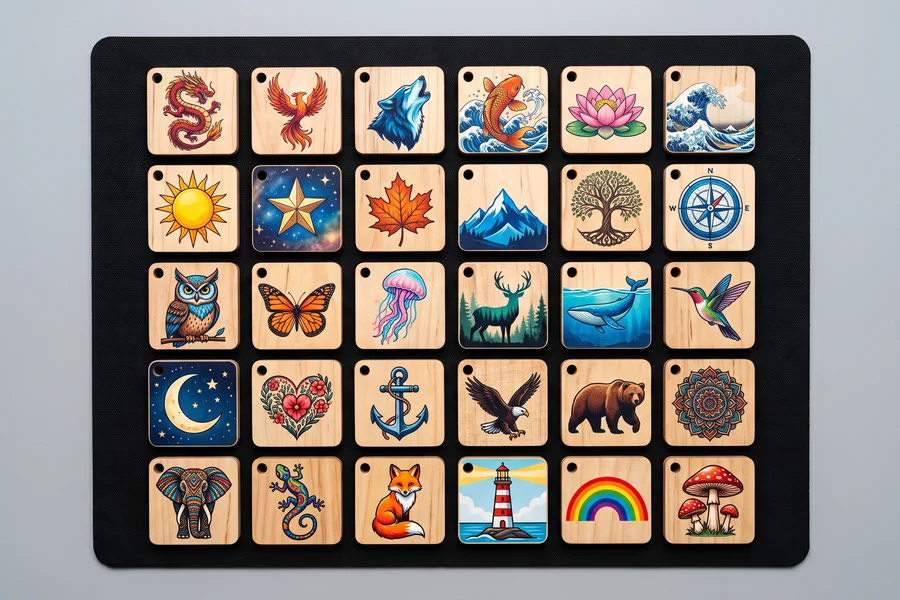
The quantity. Several pieces fit side by side on the 330 × 420 mm bed: thirty keyrings, nine coasters, two A4 plates. They print in a single pass, and calibration — three minutes during which the machine photographs the bed to find its bearings — is paid for only once. So the unit price drops from the second piece onwards, even before the volume pricing that businesses get.
On top of that comes the preparation, a flat fee per order: we position your artwork on your object, we send you the image preview before printing, we clean and prepare the surface, we pack. For a private customer, an order includes at least €15 of pieces, as it does for 3D printing. Shipping is extra; collection at the workshop is free.
Calculator results are estimates. File transfer requires an explicit action and your agreement. The workshop checks feasibility, files, options and the total price before issuing an approved quotation. Payment is offered only after this review and your acceptance of the quotation and terms.
How it works, from request to delivery
1. You choose, you send. On the UV printing page: the surface, the size of the printed area, the finish, the quantity. The price appears. You upload your artwork — it goes straight into our workspace, never through an e-mail — along with your details. No account, no payment at this stage.
2. We check, you approve. Within 24 working hours you receive the image preview before printing: your artwork positioned on your object, to scale, with any comments we have (resolution, background, fine detail). You approve it or you correct it. Nothing is printed without your written agreement. The confirmed price and the payment link arrive with the proof.
For a unique, valuable or irreplaceable item, contact the workshop before sending it. We assess the risk, a test on comparable material and alternatives with you. Do not send the item before this agreement or assume you must provide an unavailable duplicate.
4. Printing, inspection, return. Cleaning the surface, adhesion primer if the material calls for it, positioning on the bed, printing, inspection under a loupe, packing. A flat piece prints in minutes; relief runs into hours. The lead time shown on the quote covers all of that; shipping is added on top, tracked.
Marking a 3D-printed part
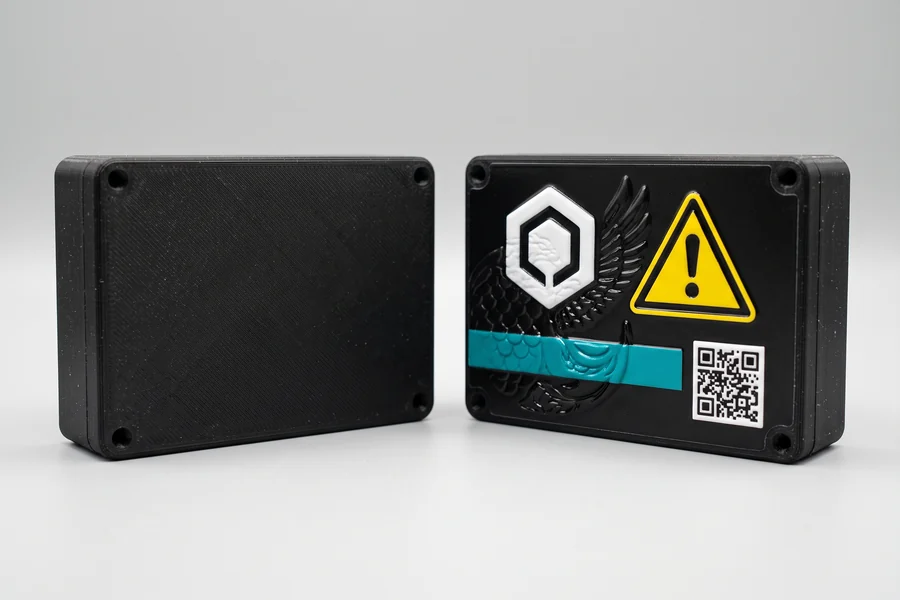
This is where our two trades meet. A 3D-printed part comes off the machine in the colour of its material, plain. UV printing adds what an industrial part normally carries: a logo, a reference, a batch number, a pictogram, a diagram, a scale, a complete front panel — in colour, with no paint and no label that peels off.
It works on all our materials, including the nylons and the carbon composites, on one condition: the marked face must be flat, which we know how to plan for from the design of the part onwards (a smooth face dedicated to the marking, facing upwards during 3D printing, gives the best result). The cost of the marking is added to the cost of the part: give the reference of your 3D quote on the UV printing request, or ask us for it directly in the 3D quote — the card “A logo or artwork on the part?” leads there.
For a run, the marking can vary from one piece to the next — number, name, QR code — at no extra cost: it is one file per piece, not a tool.
The vocabulary, in plain words
- UV ink
- Liquid ink that hardens instantly under an ultraviolet lamp. It stays on the surface and holds on smooth materials.
- White underlayer
- A layer of white ink laid under the artwork so the colours stay vivid on a dark or clear surface.
- Varnish
- A clear, glossy layer laid over the artwork: protection and a glazed effect.
- 3D relief
- Ink layers stacked up to 5 mm high, for artwork you can feel under your finger.
- Adhesion primer
- A clear liquid applied to metal, glass, acrylic or enamel before printing so the ink grips for good.
- CMYK
- Cyan, magenta, yellow, black: the four inks that make up every printed colour.
- DPI
- Dots per inch. 300 dpi at final size is the resolution to aim for in a file; the machine prints at up to 1,440 dpi.
- Image preview before printing
- An image of your artwork positioned on your object, sent before printing for approval.
- Transparent background
- A file (PNG, SVG) whose background does not exist: only the design prints, and the object stays bare around it.
- Vector
- A file described by shapes (SVG, PDF, AI) rather than pixels: it scales up without losing sharpness.
- Rotary module
- An accessory that turns a cylindrical or conical object under the print head: mugs, bottles, tumblers, full wrap.
- UV transfer
- Artwork printed on a film and laminated, to be applied to an object the machine cannot take: curved, uneven or oversized.
Frequently asked questions
Will it work on my object?
If the face to be printed is flat (2 mm of variation at most), the object is less than 60 mm tall and it is neither silicone nor rubber: yes, almost certainly. Send a photo with your request and we confirm before anything is printed.
Do I have to supply the object?
You may supply your object or ask SANSIL 3D to supply it where offered. The quotation separates the object, printing, preparation and delivery. A 3D-printed part is quoted separately; printing alone does not include making the part.
Can I order a single piece?
One item is possible. Price depends on substrate, printed area, finish and quantity: a batch may benefit from shared setup and discounts. Preparation and any minimum order are detailed in the quotation; unit price and order total are shown separately.
How long does it take?
The image preview before printing goes out within 24 working hours. Once it is approved and the object has arrived, a flat piece prints in a few minutes and a 3D relief in a few hours. The full lead time is shown on the quote.
Is it dishwasher-safe?
No, and we would rather say so: the ink sits on the surface, and heat and harsh detergents wear it down in the end. Wash by hand and all is well.
Can I print a photograph?
Yes, and it is the real strength of the process: photographic colours at 1,440 dpi. Send the photo at full resolution, not the compressed version from a messaging app, and choose the white + colour finish on any surface that is not white.
What about a mug or a bottle?
Yes: a rotary module turns the object under the print head. Mugs, bottles, tumblers and jars of Ø 45–100 mm and 80–245 mm tall, with or without a handle, full wrap possible. For a larger or uneven object, a UV transfer applied to the object.
What happens if the print goes wrong?
Tell us about any fragile or irreplaceable item before sending it. Substrate suitability and test conditions are agreed with you before work; a comparable sample may be requested. Your statutory guarantees remain applicable.
Image preview before printing within 24 working hours · From 1 piece · Made in Essonne · Shipping across France and Europe
Price my UV printRead next
UV printing quote
Surface, size, finish, quantity: the price appears and you upload your artwork.
Examples for businesses56 Christmas gift ideas
For family, children, colleagues and clients, with the price of every idea.
How much a UV print costs
The six examples priced by the quote engine, and what makes the price move.
The workshop takes up UV printing
Why this machine, what it changes for you, and what is still to come.
FDM 3D printing explained from scratch
The workshop's other trade, explained the same way: principle, materials, files, prices.